


Every branch, every employee, one network
SecuryTik Overlay & VPN Automation
A self-hosted VPN hub for MikroTik branches and remote staff: routing, policies, DNS, monitoring and router management in one panel, on one VPS you own.
One routed network, no NAT inside
Your VPS becomes the hub. Every branch and every remote user reaches every other by its real address.
Hub-and-spoke WireGuard
- One tunnel per branch, dialled OUT from the branch — works behind NAT, CGNAT and 4G
- A port per site (51000 + site number); nothing to open at the branch
- No NAT between sites: logs, cameras and servers see real source addresses
L2TP/IPsec backup
- A second tunnel per branch, used automatically when WireGuard is blocked or down
- Failover in about 20 seconds, and back again by itself
- The dashboard shows which sites run on the backup path
OSPF routing
- Branches announce their networks; the hub learns and shares them
- A new branch is learned by every other branch without touching them
- Networks the branch admin adds by hand are shared too — per site, with a toggle
Route checks
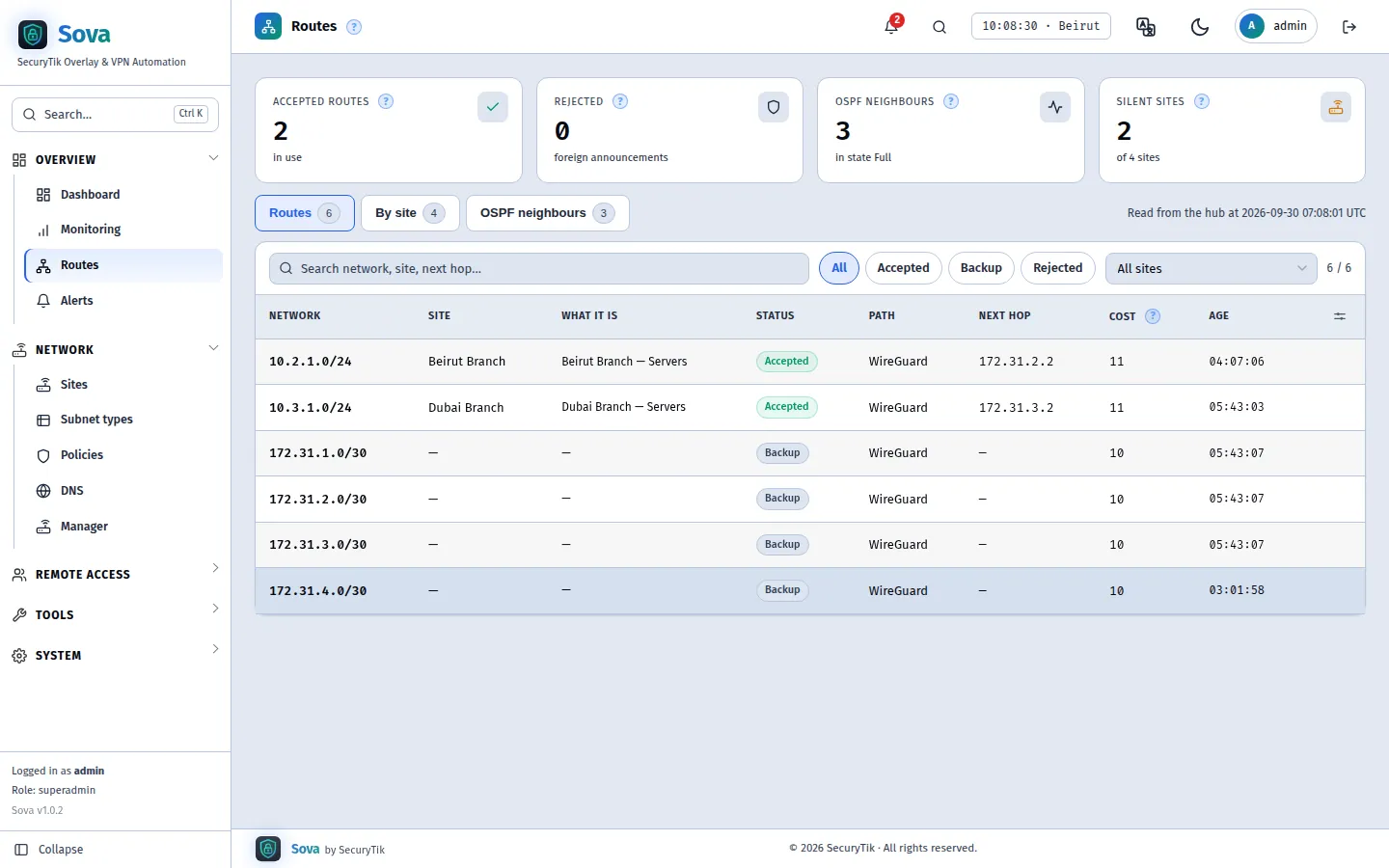
- A branch may only announce addresses inside its own block
- Anything else is rejected at the hub and raises an alert — no route hijacking
- The Routes page shows accepted, backup and rejected networks with path and next hop
A branch in two minutes
Name it, tick the networks it needs, paste one line into the router.
Derived addressing
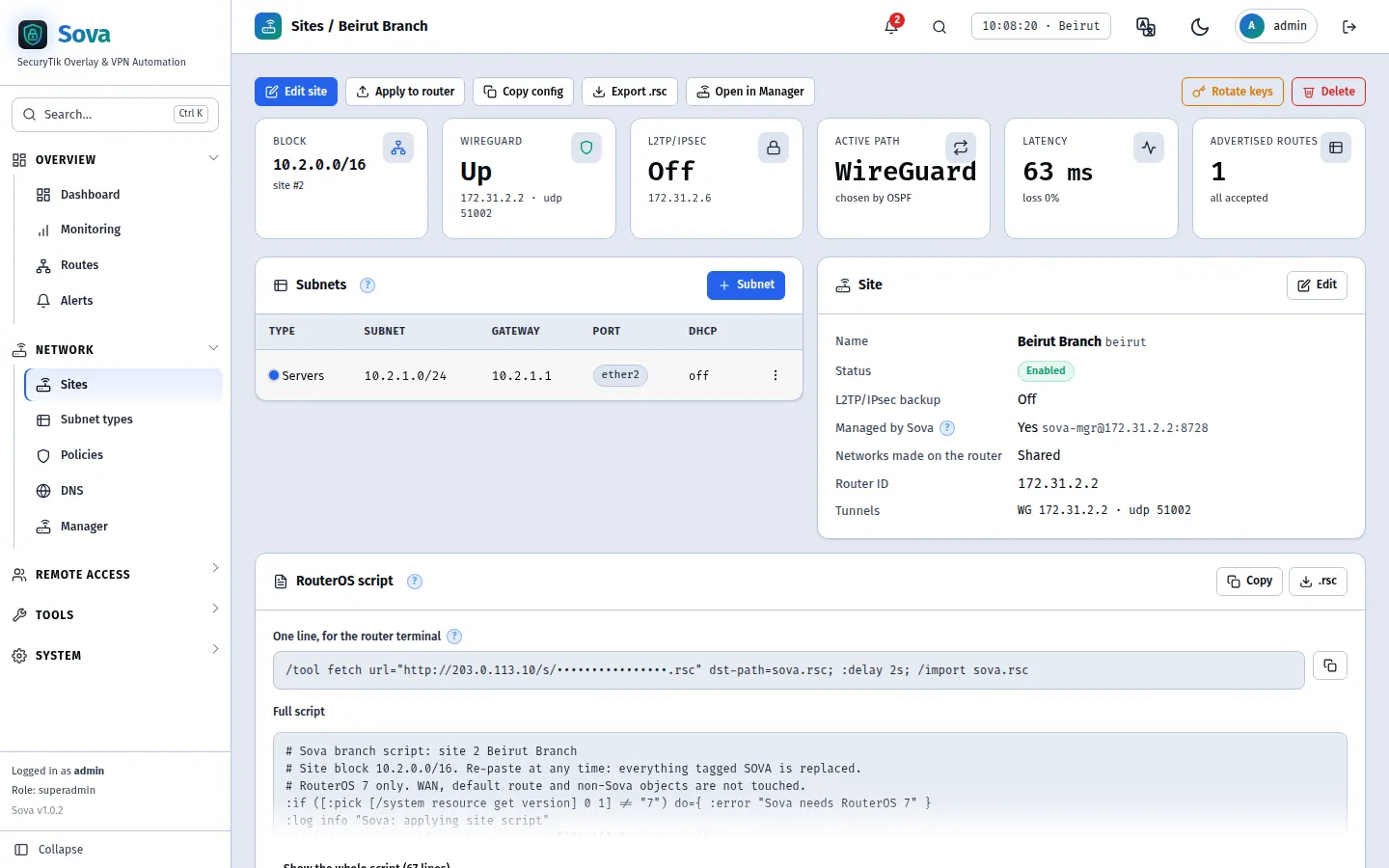
- Site N owns 10.N.0.0/16; network types sit at the same third octet everywhere
- Servers are 10.1.1.x at site 1 and 10.2.1.x at site 2 — nothing to plan, nothing to collide
- One port per network, from ether2 upwards, with DHCP — no VLANs needed
Paste-ready RouterOS script
- One line to paste: the router fetches its script from the hub (single use, 24 hours)
- Checks the router first; never touches the WAN or the default route
- Safe to paste again at any time: everything tagged SOVA is replaced
Apply to router
- Managed branches get changes pushed over their tunnel — no re-pasting
- Add a network, move a port, rotate keys: one button
- Enable, disable, edit and delete from a SAMM-style list with bulk actions
Employees connect from anywhere
WireGuard app or the L2TP/IPsec client built into every phone and laptop.
Two profiles
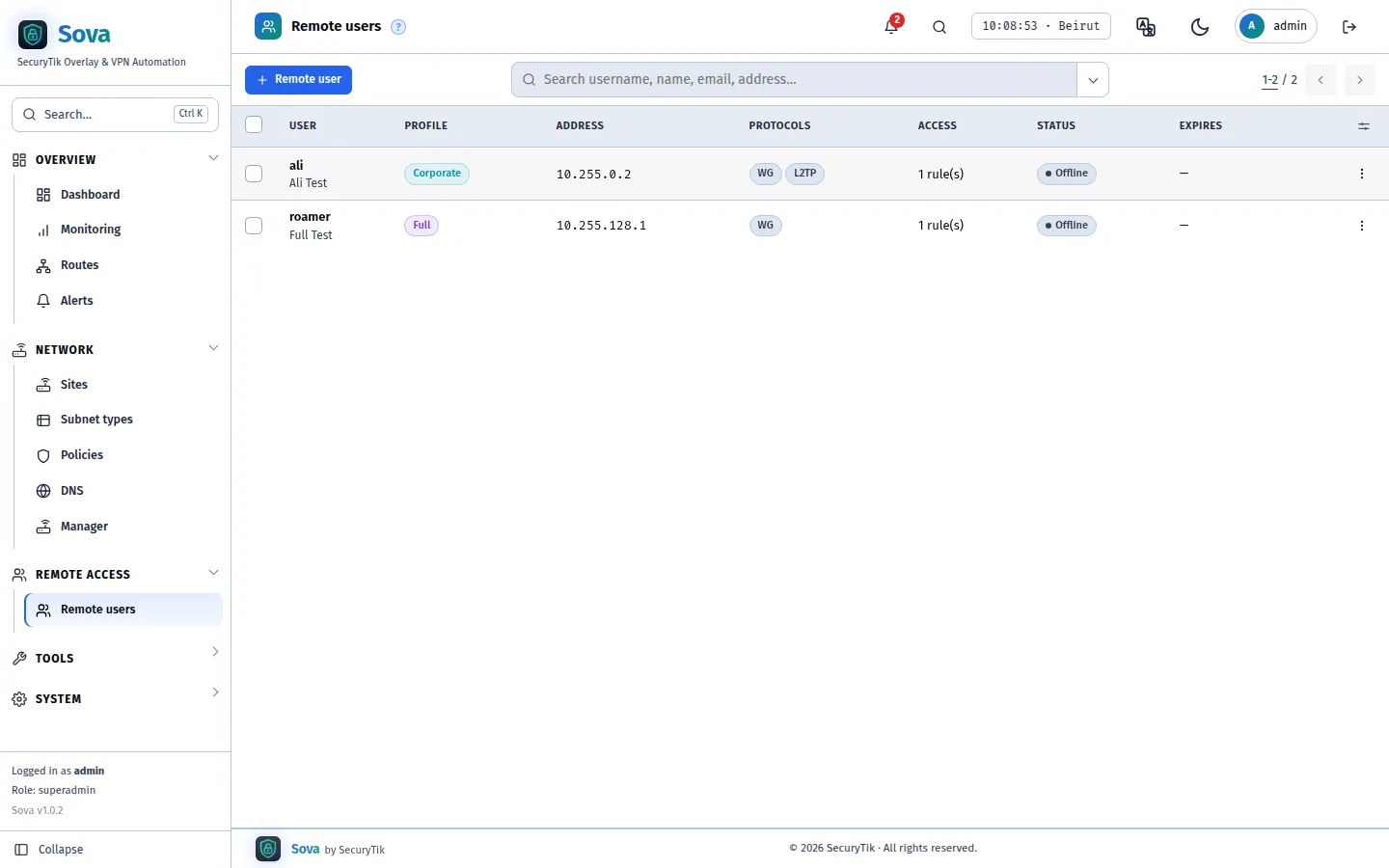
- Corporate: only company networks go through the VPN
- Full passthrough: all traffic leaves through the hub, with the hub's IP
- A fixed VPN address per user, so policies and logs know who it is
Per-user access
- The whole fleet, one site, one network type everywhere, or one network at one site
- Expiry dates; disabling disconnects at once
- New key and password in one click
Easy handover
- QR code for phones, .conf for computers
- Copy or export the WireGuard config and the L2TP details from the list or the user page
- Step-by-step client notes in the docs
Who reaches what — including apps
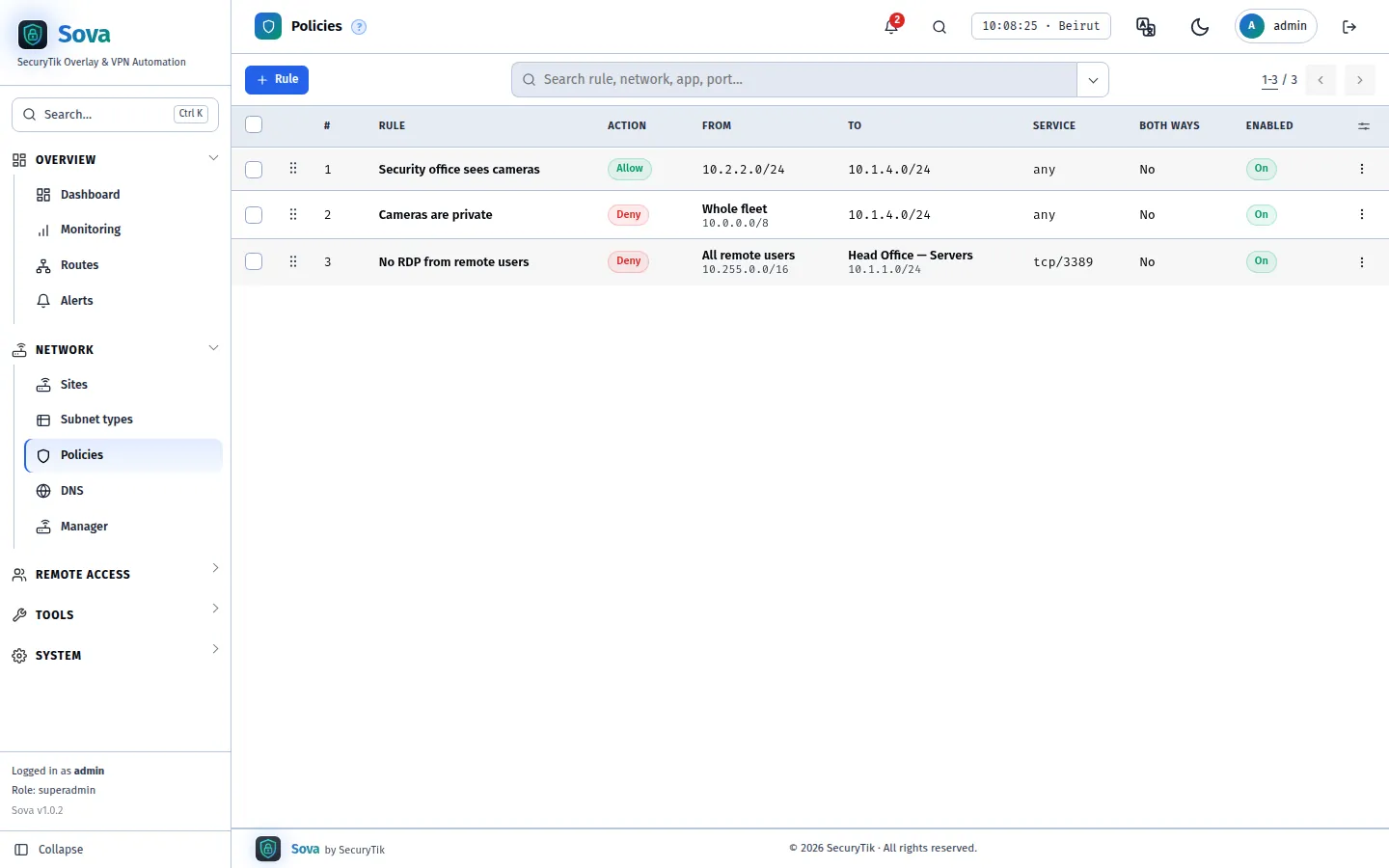
Every site reaches every site by default. Rules are checked top to bottom, firewall style.
Enforced on the hub
- All branch-to-branch traffic crosses the hub, so a branch cannot bypass a rule
- Allow or deny by protocol and port, one way or both
- A new deny also cuts connections that are already open
Several sources and destinations
- Pick sites, networks, remote-user groups or addresses — as many as a rule needs
- Drag rules into order; the first match wins
- Search, filter, export, bulk enable/disable
App & website blocking
- Block TikTok, Instagram, games, streaming… for chosen networks
- Enforced on the branch router, where the branch's own internet is
- Sova switches the app on in that router's filter for you
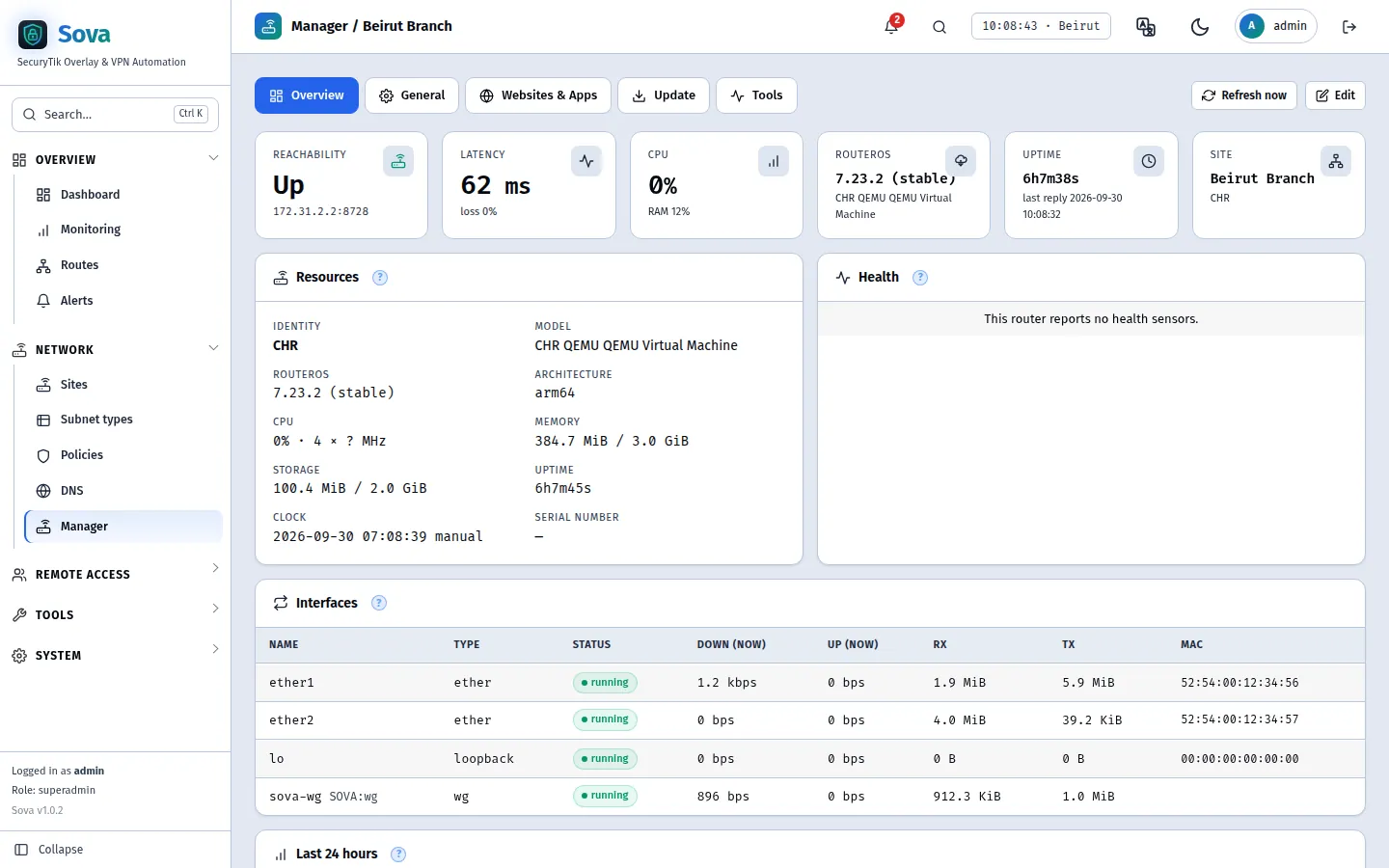
Every branch router, from one screen
The MikroTik Manager from SAMM, over the tunnels — no public IP, no port forwarding.
Health & control
- Model, RouterOS version, CPU, memory, uptime, interfaces live
- Time zone, NTP, DNS, reboot, RouterOS updates
- Ping and traceroute from the router or from the hub
Traffic history
- Interface traffic for every managed router, kept 30 days
- Traffic per app and website, with totals for any window
- Know what each branch uses without logging in to it
Bulk actions
- Tick routers and set time zone, NTP or DNS, update, back up or reboot
- A result per router
- Website & app filter per router, and blocks per network
Know before the branch calls
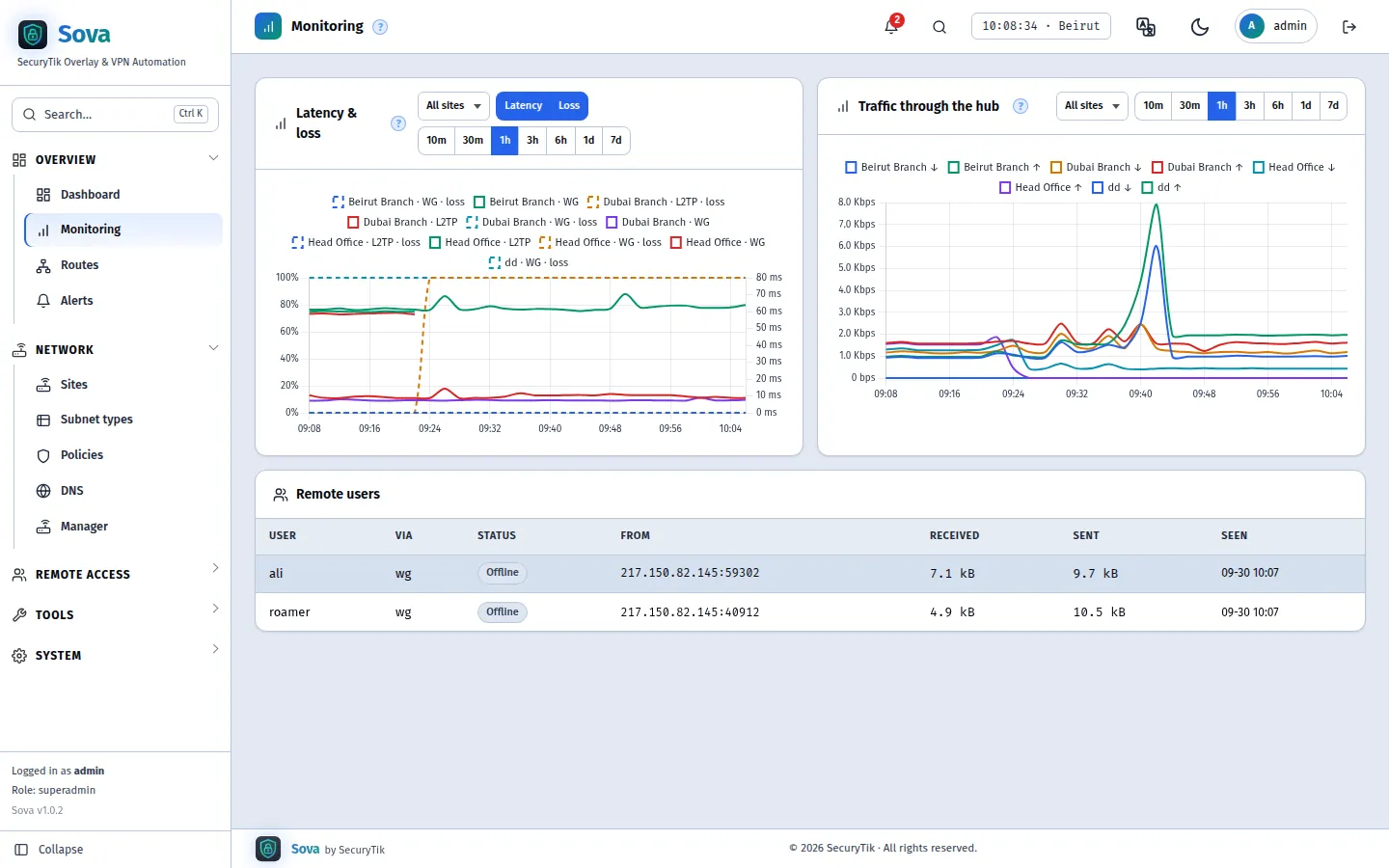
Latency, loss and traffic for every tunnel, checked every 30 seconds.
Charts & dashboards
- Dashboard blocks you drag, resize and save as several dashboards
- Windows from 10 minutes to 7 days, per site or for all
- Remote users online, with their traffic
Alerts
- Site down, on backup path, foreign routes, router unreachable, hub apply failed
- “I am on it” and quiet for an hour or a day — the SAMM alert log
- Every alert resolves by itself when the problem clears
Notification center
- Telegram, email and WhatsApp Cloud API
- Choose which events go to which channel
- An outbox with every message sent or failed
Names instead of numbers
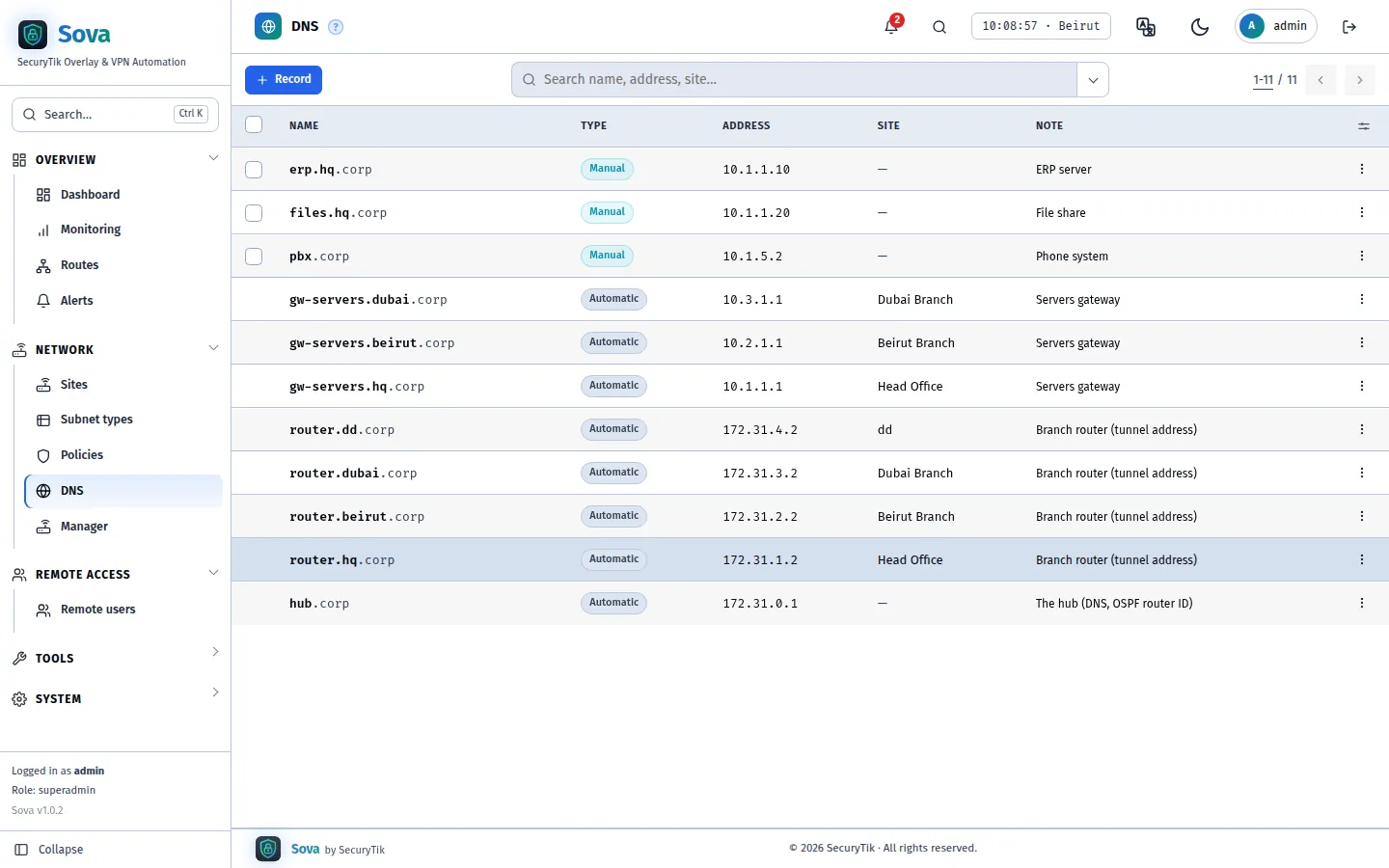
The hub answers for your internal zone; everything else goes to public DNS.
Automatic names
- router.
. and gw- . . for every branch - Branch DHCP and remote users get the hub as DNS
- Works over either tunnel
Your own records
- erp.hq.corp → 10.1.1.10 in one pop-up
- Automatic and manual names in one searchable list
- Export to CSV or Excel
Built to be run by a team
The same administration tools SAMM customers already know.
Admins, roles & audit
- Per-area view / edit permissions; Super Admin, Manager, Monitor
- Every change in the audit log — who, when, from where
- Password recovery by email, and a reset tool for lockouts
API & webhooks
- REST API with scoped tokens: sites, remote users, policies, DNS, stats, devices
- Signed webhooks for site, user and alert events
- Interactive reference at /api/v1/docs
Backup, updates, Cloudflare
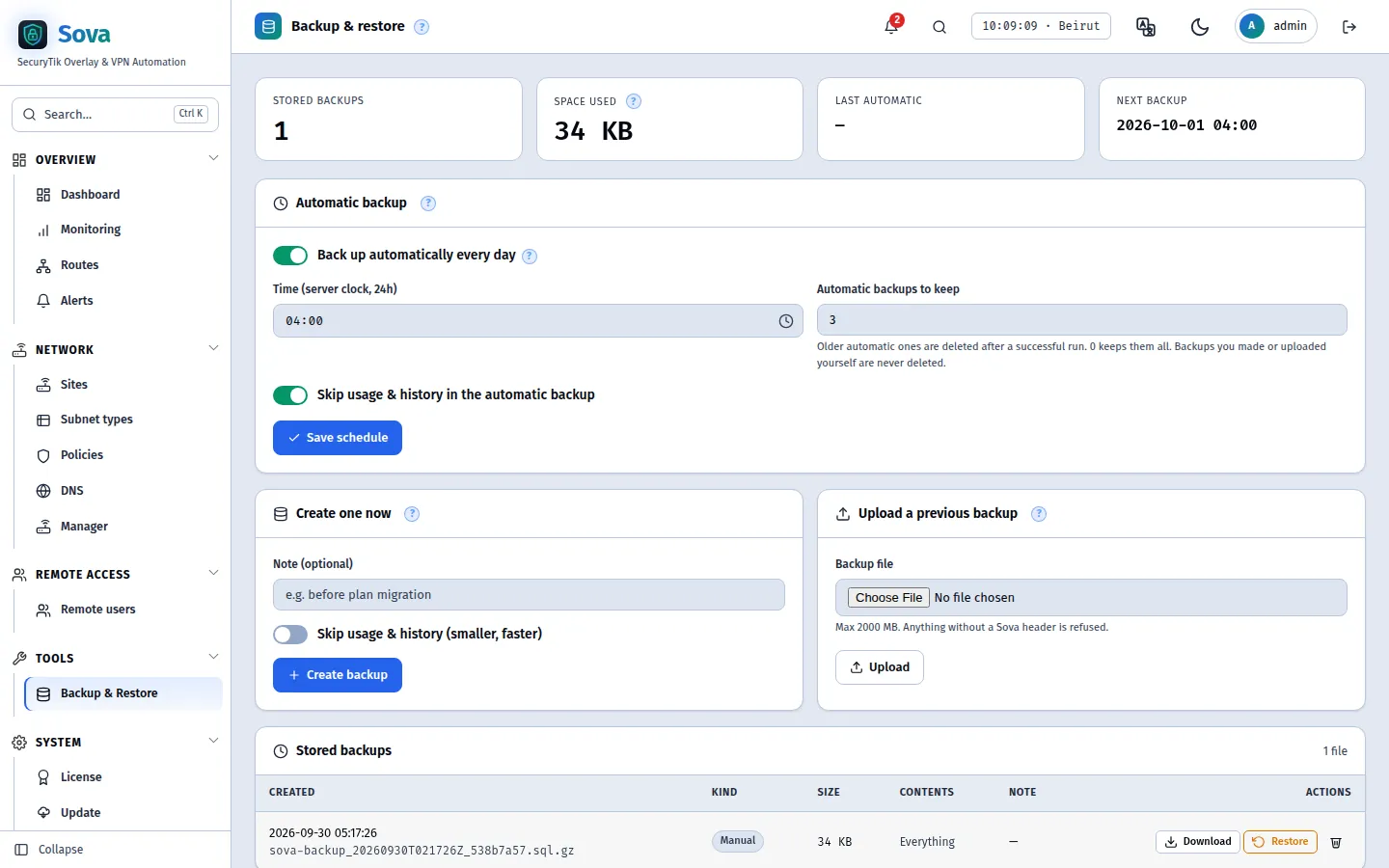
- Scheduled backups with retention; restore in one click
- Signed updates from the panel — tunnels keep running
- HTTPS on your own domain through Cloudflare Tunnel